
TIME TRACKING · LIFE JOURNAL
Your days.A storyworth keeping.
Start something. Leave a thought. Give ordinary, precious days a page of their own.
Step inside the bookComing to the App Store · iPhone & iPad
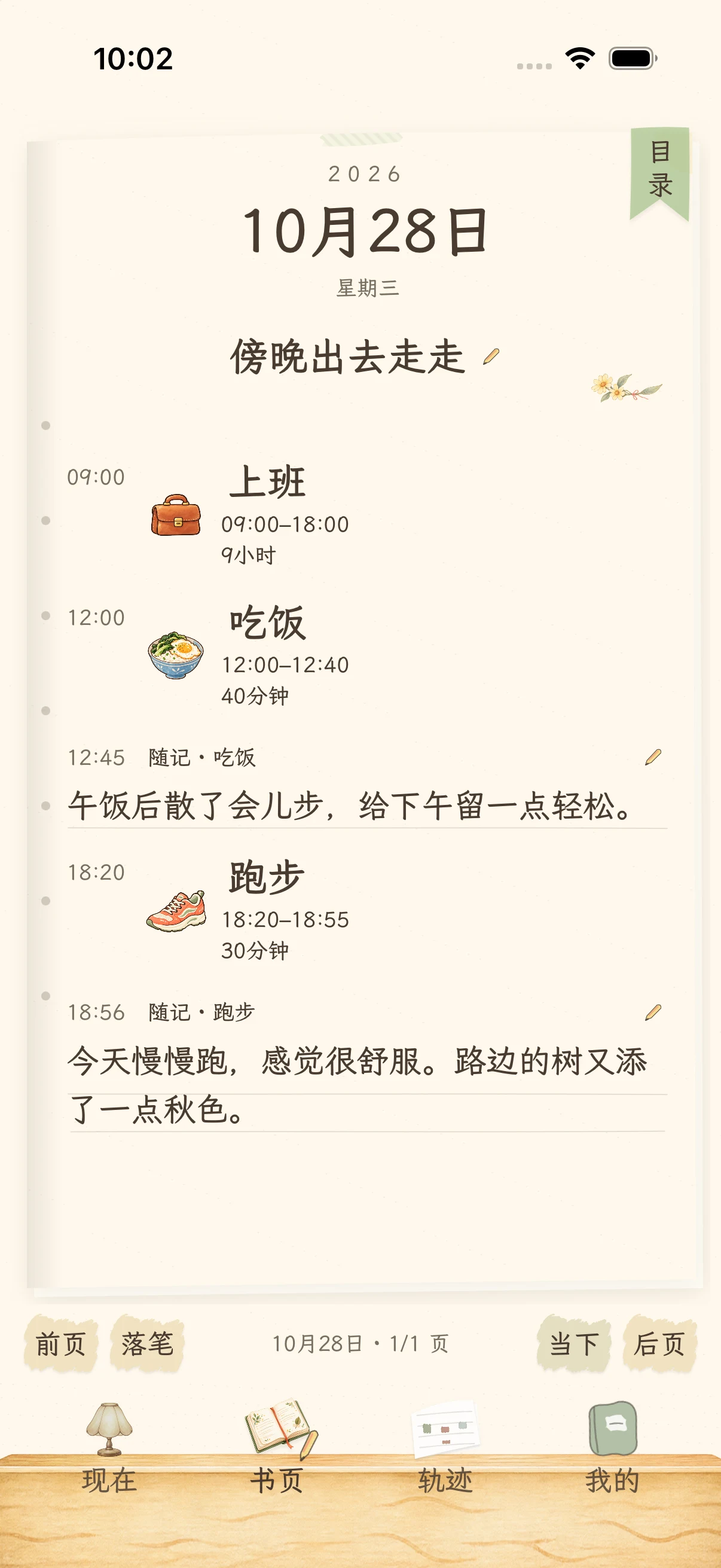

One day, one chapter. One life, your book.
FOR THE LIFE YOU ARE LIVINGWork, meals, a run. And the moments that are just yours.
 Work
 Meals
 Running
 Reading
 Sleep
 Listening
EVERY BEGINNING LEAVES A LINE
Keep the time. And the life inside it.
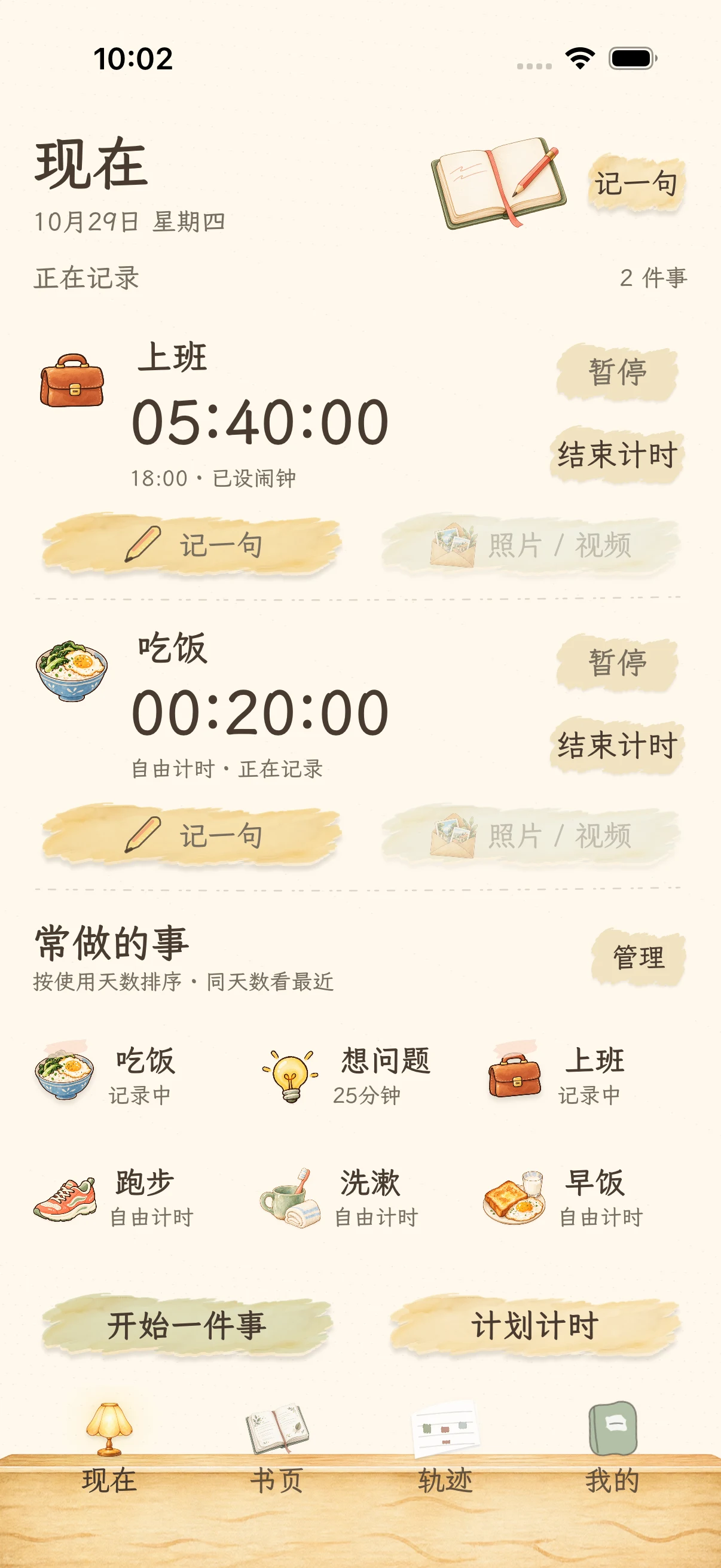
01 / Now
Easy to start. Easier to keep doing.
Tap a familiar activity to start a timer or countdown. Have lunch during work, or take a walk while listening. Each activity keeps its own time, with independent pause, resume and finish controls.
- One-tap familiar activities
- Independent parallel timers
- Your own names and illustrations
02 / Pages
An ordinary day, given a page.
Each day is a chapter. What you did, a passing thought, a photo or video you choose to keep: it all finds its place in time. Turn back, or return to the present.
- Turn the pages of your days
- Notes, photos and videos together
- Return to edit a thought
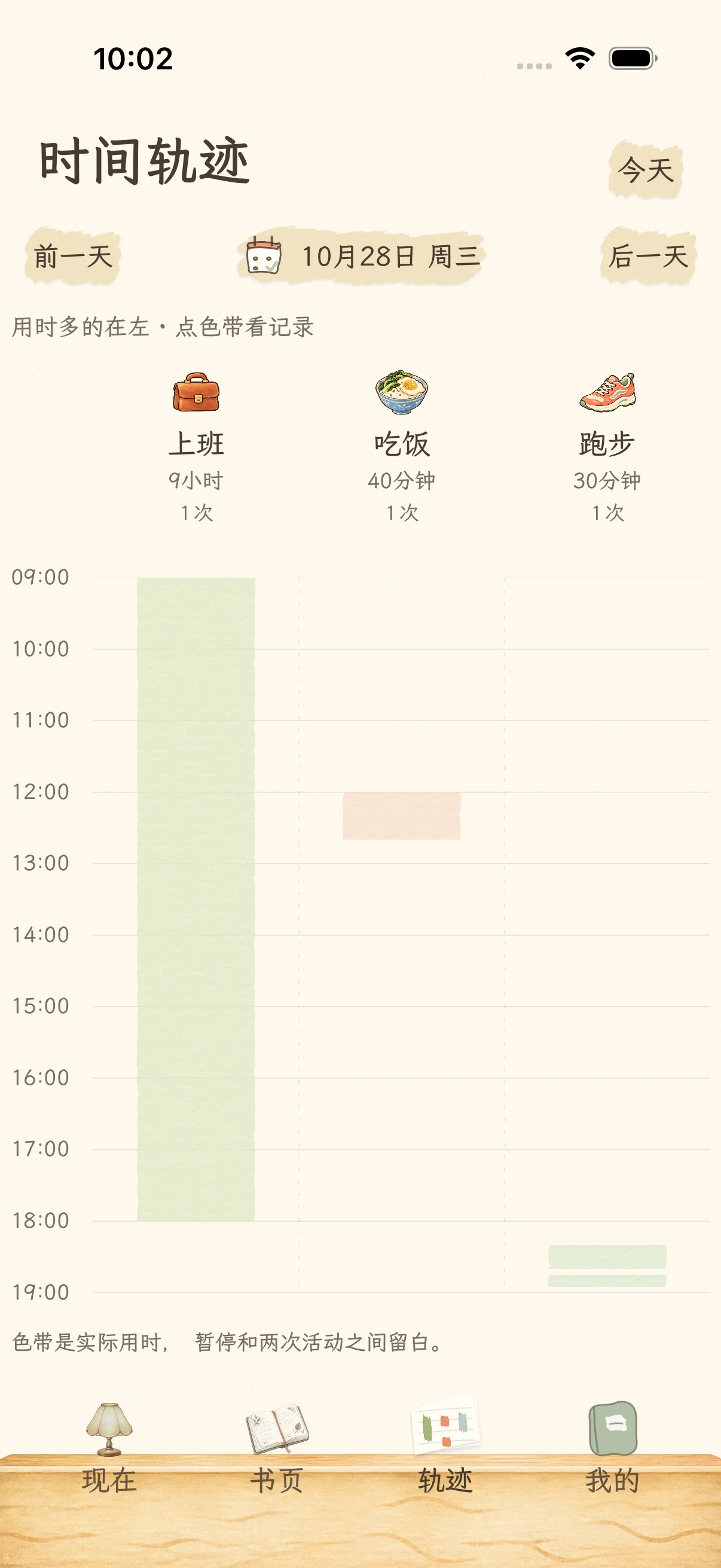
03 / Timeline
See where your time has gone.
Repeated sessions of one activity share a column. Pauses remain visible as gaps. Columns are ordered by time spent, so the overlapping parts of life still make sense.
- Repeated activities, one column
- Honest gaps for pauses
- A clear view of parallel activities
You do not have to fill every day. Every moment you keep counts.
MAKE ROOM FOR WHAT MATTERS
Let tomorrow’s 7:30
look after tonight.
Want nine hours of sleep? Work backward from your wake-up time. A reminder at 22:30 invites you to get ready for bed. Confirm when you begin to start the countdown. You make the plan; you still choose when to start.
System alarms require iOS 26 or later and permission. Earlier versions use local notifications.

YOUR BOOK STAYS WITH YOU
Your life,
in your own hands.
No account required. Time records, notes and imported media are stored on your device. Complete backups include photos and videos, and deleted records go to the trash first.
How your data is storedAutomatic cloud sync is not included. Save regular backups outside your device.
Begin with the next small thing.
Not to fill every minute. To recognize the path you took, when you look back.
Preparing for launch · View on the App StoreThe app interface is currently Simplified Chinese. Requires iOS 17 or later.